

GitHub Security Lab faced a challenge. They’d put together solid documentation showing maintainers how to secure their open source projects using GitHub’s free security features. Six clear recommendations, all valuable, all free to implement.
But it was still just a list on a page.
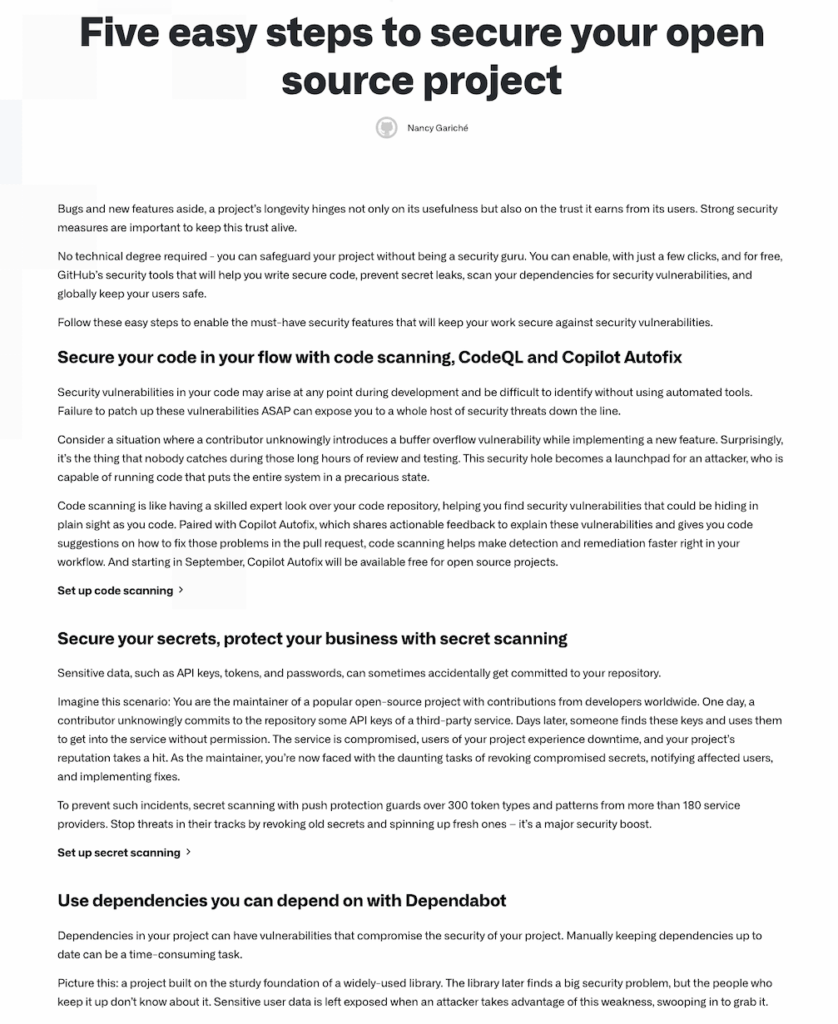
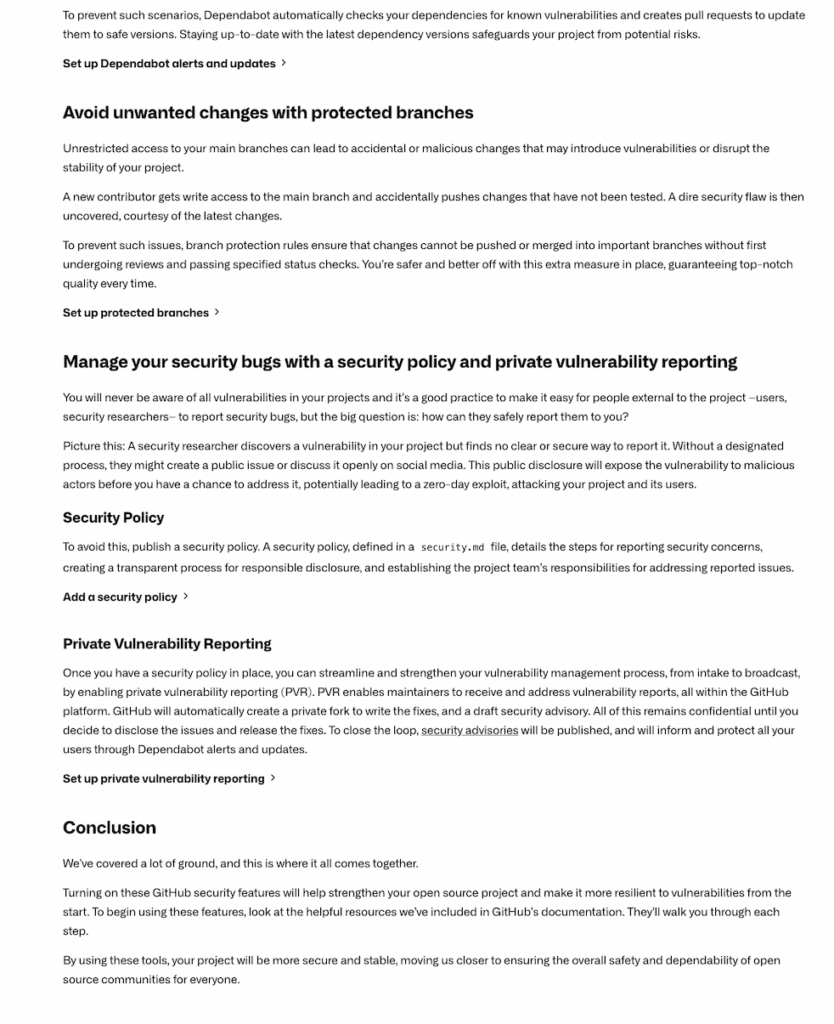
The idea emerged quickly during that call. What if we turned those six security recommendations into an interactive wizard? Something maintainers could complete in 15 minutes, step by step, with clear progress and a sense of accomplishment at the end.
Joseph got it immediately. Within days, he sent over initial mockups via Intercom.
This is where our on-demand coaching model made a real difference. Instead of waiting two weeks for our next scheduled call, Joseph could send designs through Intercom and get detailed video feedback via Loom within hours. No waiting, no bottlenecks, just fast iteration.
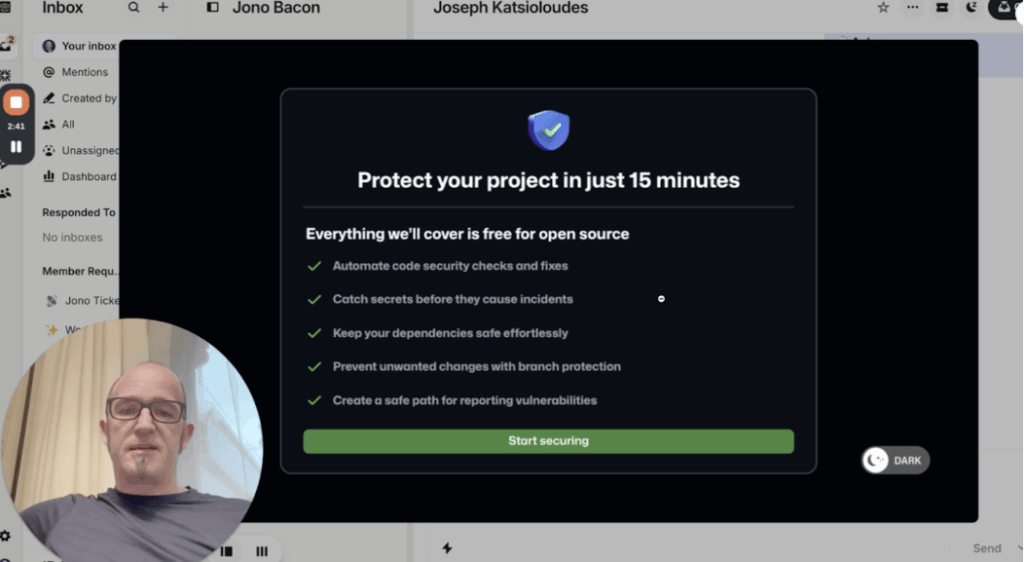
That first round of feedback focused on the fundamentals. We talked through how to structure each step, what information needed to be visible upfront, and how to create momentum through the wizard. The goal wasn’t perfection. It was getting something workable shipped fast so we could learn from real usage.
Iterating on What Actually Matters
Joseph moved quickly. He’d implement changes, send updates, and we’d review again. Sometimes within the same day.
One of the biggest improvements came from rethinking the opening screen. Initially, it just listed the five security features users would enable. But that didn’t answer the question every maintainer was silently asking: what’s in this for me?
We worked with Joseph to reframe it around outcomes instead of features. Not “enable code scanning” but “prevent malicious actors from exploiting vulnerabilities in your project.” Not “turn on secret scanning” but “protect your private assets by preventing secrets from leaking.”
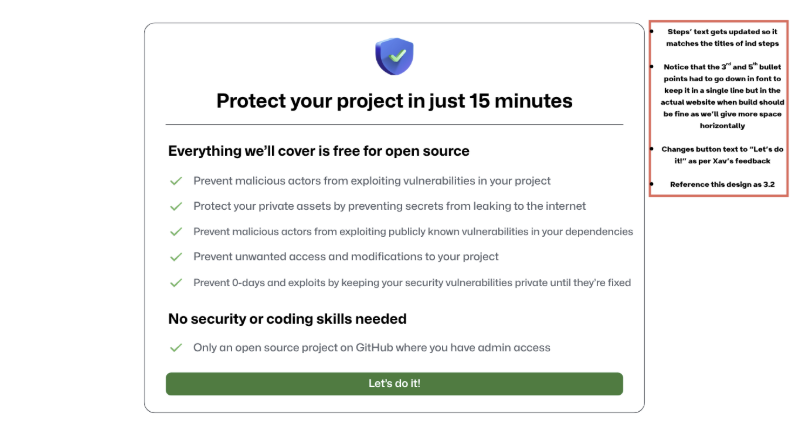
The second version was dramatically better. Clear benefits upfront, simple requirements listed, and a big green “Let’s do it!” button that removed any ambiguity about what came next.
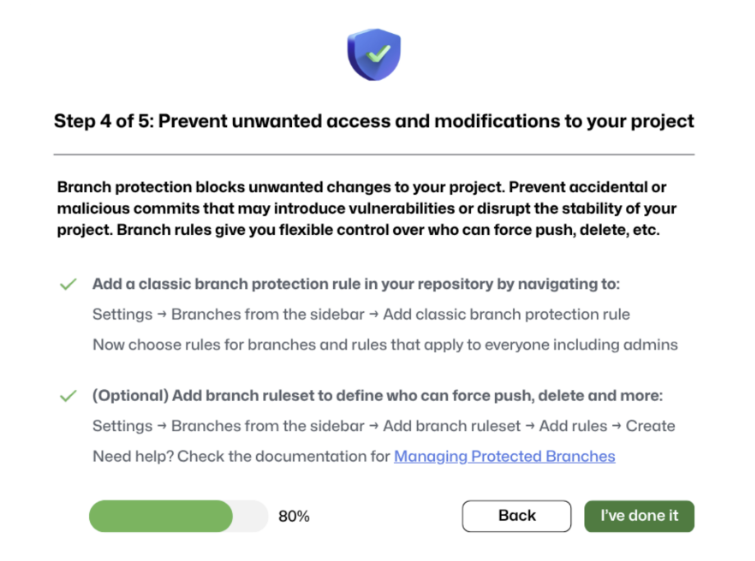
We also added a progress bar. This sounds small, but research shows progress bars are wildly effective at keeping people moving through multi-step processes. When you can see you’re 20% done, 40% done, 60% done, you’re way more likely to finish.
Joseph implemented it. Each step showed exactly where you were in the five-step process, making completion feel achievable and close.
The Details That Create Momentum
As we kept iterating, we focused on small changes that would have outsized impact on completion rates.
The “I’ve done this” checkbox was one example. Since this was a static site, we couldn’t automatically detect whether someone had actually enabled code scanning or secret scanning. But we could add a checkbox that said “I’ve done this” and grey out the “Next” button until they checked it.
Tiny change. Huge psychological impact. Checking that box gave people a miniature sense of accomplishment. Yes, I did the thing. Now I can move forward.
We also worked on the completion experience. Joseph recorded a short video thanking people for securing their project and inviting them to join the Security Lab’s Slack community. We helped him refine the script to emphasize what they’d just accomplished: not just securing one project, but making the broader open source ecosystem safer.
We even suggested making the video auto-play on mute, with a click-to-restart-with-sound button. It’s a small detail we use on the Stateshift website, and it consistently increases watch time because people get curious about what’s being said.
Moving From Build to Promotion
Once the wizard was built and live, the work shifted to getting people using it.
We broke promotion into three stages based on what the team could control and how quickly they could ship.
Stage 1: Quick Wins in 30 Days
Social media recognition stood out as the highest-leverage opportunity. We suggested congratulating projects publicly when they completed the wizard. Create a “Protected Projects Spotlight” each week featuring 2-3 completions. Use that ritual to build social proof and momentum.
We helped map out how to integrate Protect Your Project into GitHub’s Slack community as a pinned resource and set up monthly office hours where maintainers could ask questions live.
Stage 2: Strategic Partnerships Over 60 Days
This included designing conference booth activations. A “15-Minute Security Challenge” where developers could complete the wizard on-site and get swag or certificates. Tying campaigns to seasonal moments like Hacktoberfest with themed pushes like “Secure-tober.”
Stage 3: Longer-Term Product Integration
Things like getting completion metrics in front of GitHub’s product team, exploring placements in the security tab or repository insights, and triggering the wizard when maintainers first start thinking about security.
We worked together on how Protect Your Project could connect with GitHub Universe and other major community moments.
The sequencing mattered. Stage 1 was about what they could do now without dependencies. Stage 2 required some coordination but was still largely controllable. Stage 3 was strategic and would take time, but the foundation was being built through stages 1 and 2.
What Changed
Protect Your Project went from a static list on a documentation page to an interactive experience that walked maintainers through securing their projects step by step.
But the bigger shift was in how the team approached building and iterating. Instead of waiting for perfect conditions or full product team resources, Joseph drove forward with what he could control. Mockups became implementations. Implementations became improvements. Improvements became a system.
Through our biweekly calls, we reviewed progress, cleared roadblocks, and adjusted priorities in real time. Between calls, our on-demand coaching via Intercom and Loom meant Joseph never had to wait for feedback. He could keep moving.
The foundation is in place. The tool is live. And Protect Your Project is becoming part of how open source maintainers think about securing their work.
Why This Story Matters
Most teams treat documentation as the finish line. GitHub Security Lab treated it as the starting point.
They didn’t wait for perfect alignment or executive mandates. They built something small, iterated fast, and focused on what they could control. The result was a tool that turned passive reading into active completion.
This is the kind of work we specialize in at Stateshift. We don’t hand over strategy decks and disappear. We work as an embedded co-pilot through our Pathfinder program, helping teams move from idea to execution through biweekly coaching calls, on-demand feedback, and hands-on iteration support.
If your team has documentation sitting on a page that nobody completes, or a tool that’s launched but not gaining traction, we can help. We work with you to turn ideas into working systems, one iteration at a time.
Frequently Asked Questions
How do you turn documentation into an interactive tool?
Start by asking what outcome you want users to achieve, then build the simplest version that creates momentum. At Stateshift, we helped GitHub turn security documentation into a 15-minute wizard through rapid iteration: mockups via Intercom, Loom feedback within hours, and constant refinement based on what would drive completion. The key is shipping fast and learning from real usage rather than waiting for perfect designs.
What’s the fastest way to iterate on a new tool without slowing down?
Use on-demand coaching between scheduled meetings. Through Stateshift’s Pathfinder program, Joseph could send designs via Intercom and get detailed video feedback via Loom within hours instead of waiting two weeks for the next call. This eliminated bottlenecks and kept momentum high throughout the build process.
What’s the difference between hiring a consultant versus getting ongoing coaching for developer tools?
Traditional consultants deliver strategy decks and leave. Ongoing coaching through programs like Stateshift’s Pathfinder means you get an embedded co-pilot: biweekly calls, unlimited on-demand feedback via Loom and Intercom, and hands-on execution support. You get answers in hours, not weeks, and someone stays with you through implementation to clear roadblocks in real time.
How can you improve adoption without product team resources?
Focus on what you control: social recognition, content integration, event activations, and community touchpoints. These tactical improvements often deliver faster ROI than waiting for product integrations. Once you demonstrate traction through these channels, it becomes easier to make the case for deeper product-level changes with internal stakeholders.
How do you promote a new developer tool without a big marketing budget?
Focus on what you can control immediately: social recognition of completions, integration into existing community spaces like Slack, and creating celebration rituals that build social proof. Stateshift helped GitHub map promotion into three stages based on speed and control, starting with quick wins they could execute in 30 days without dependencies.